

How to Change Your Login Password?
2023-10-20 23:06:48
1. How to Change Your Login Password on the Website:
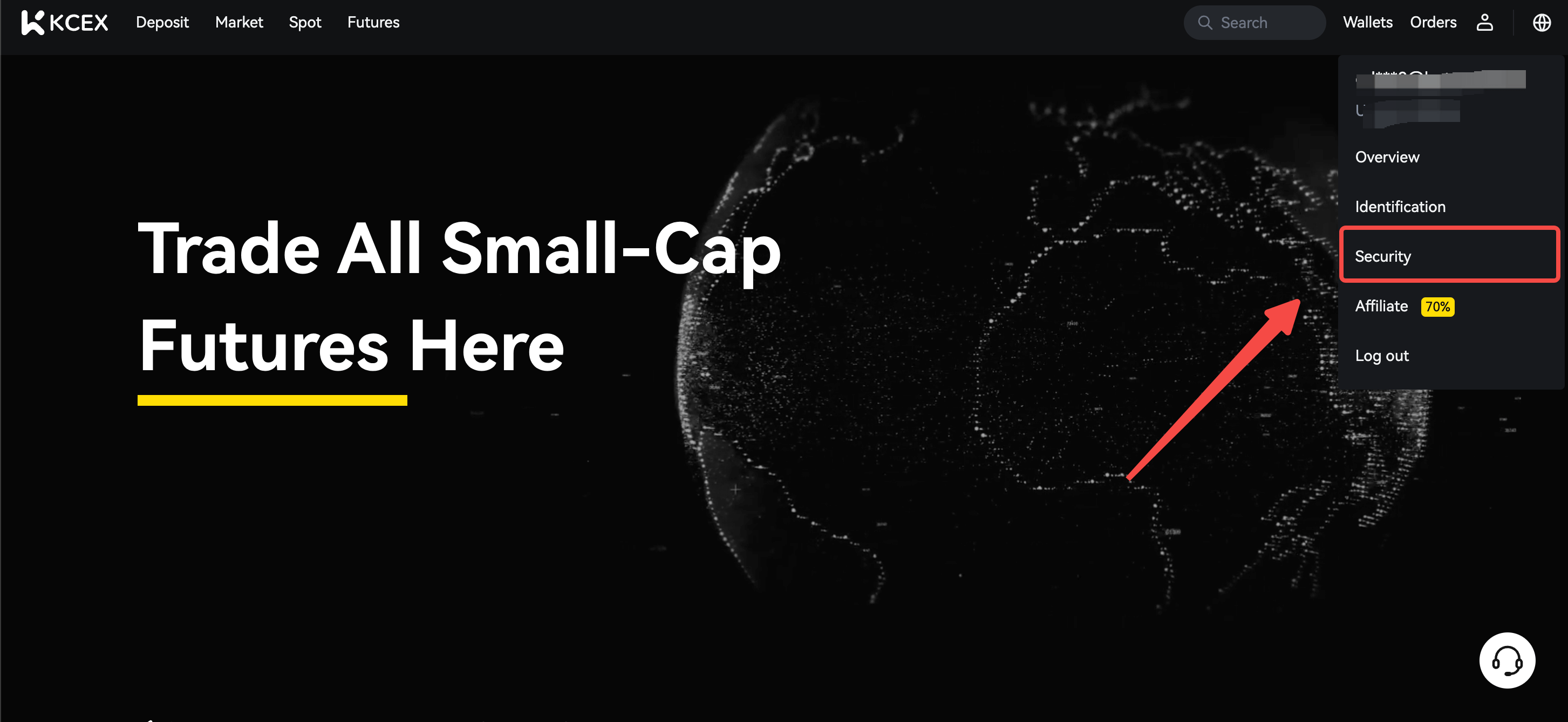
a. Log in to the official KCEX website, hover over the user icon, and click on [Security].
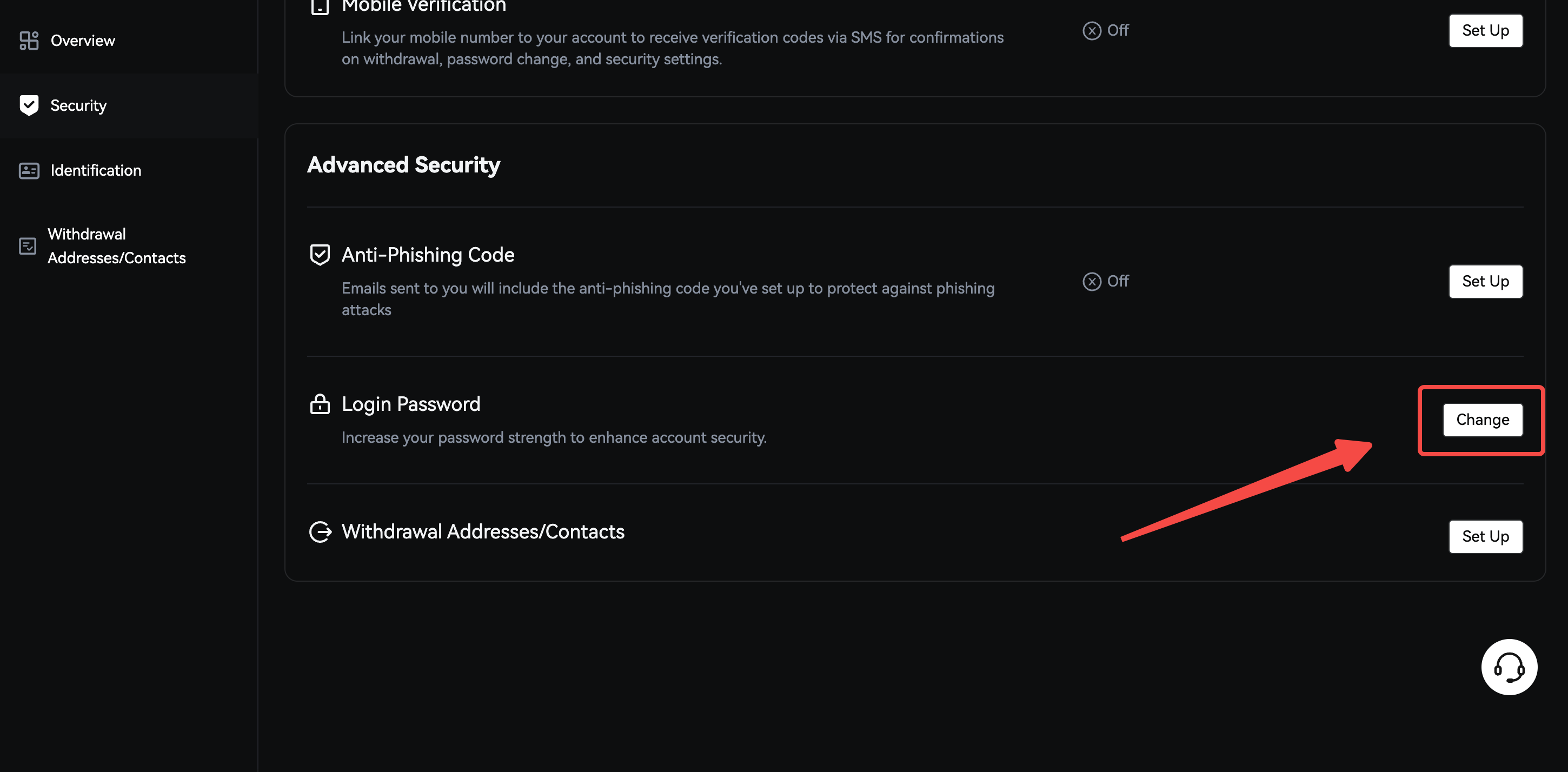
b. Click 'Change' within the 'Login Password' section.
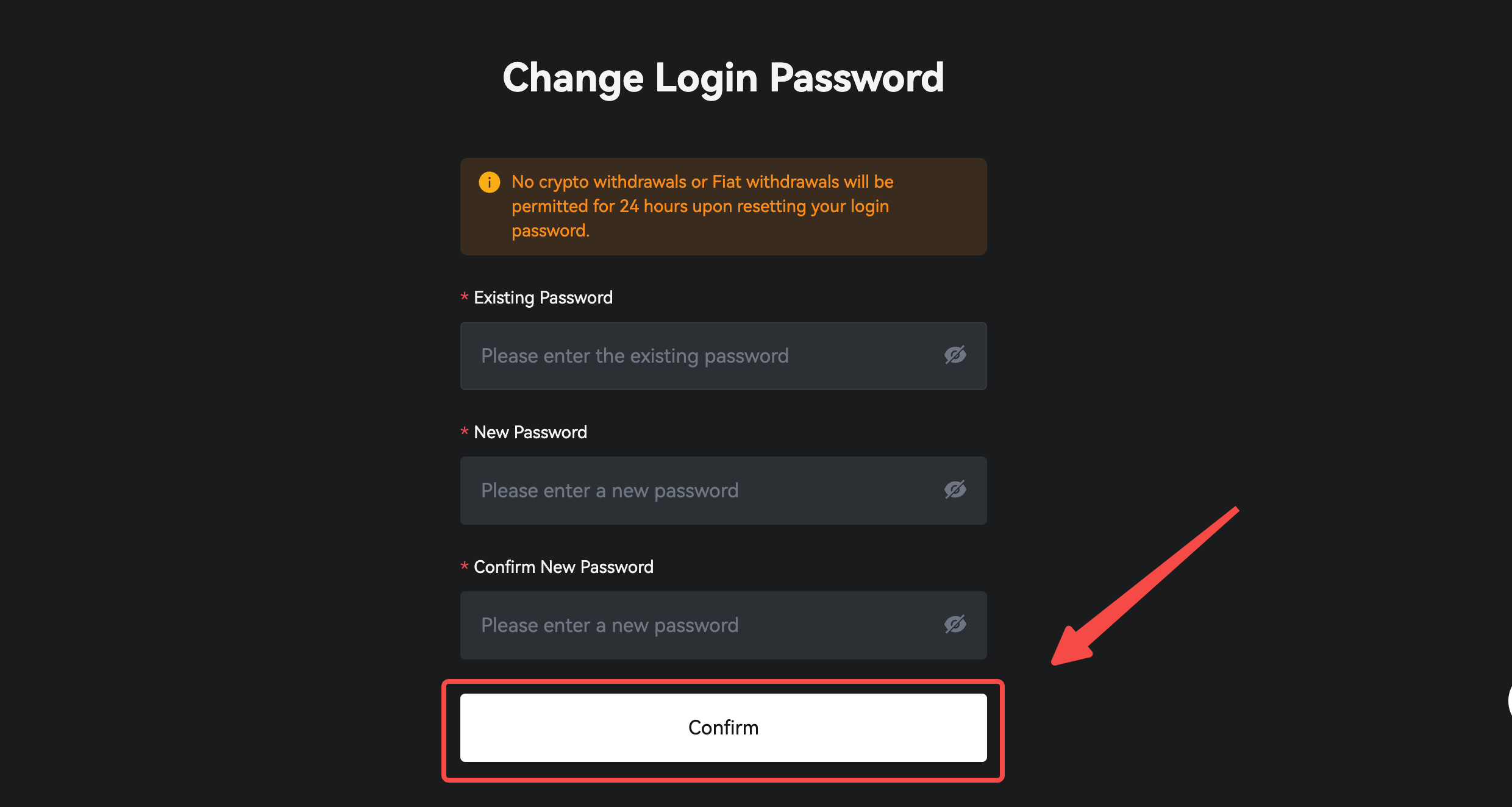
c. Enter your current password, and input the new password twice. Click 'Confirm' to complete the change process.
**Please ensure that your password is between 8 and 30 characters in length, and includes at least 1 lowercase letter, 1 uppercase letter, and 1 number.
2. If You Cannot Access Your Account
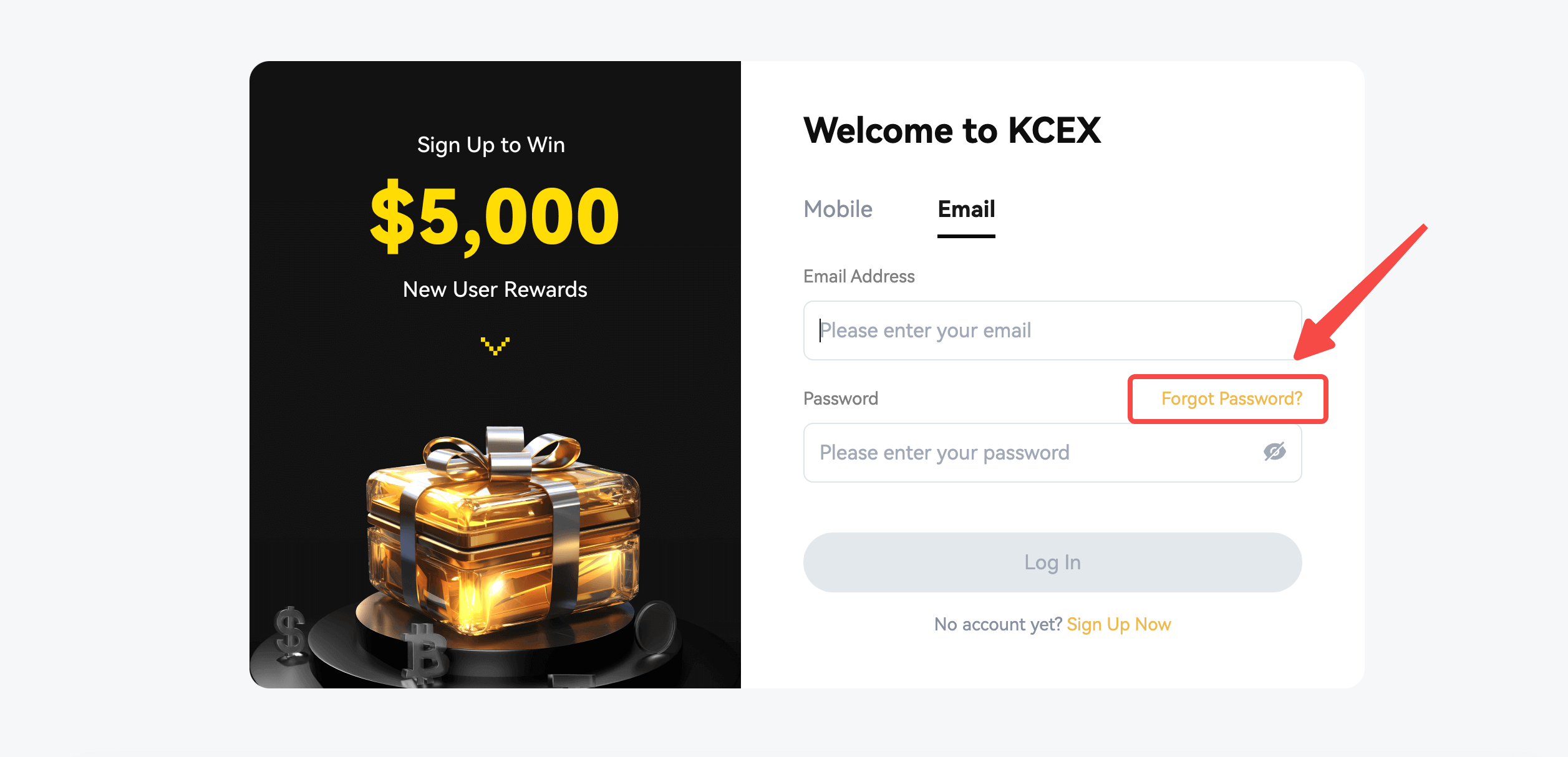
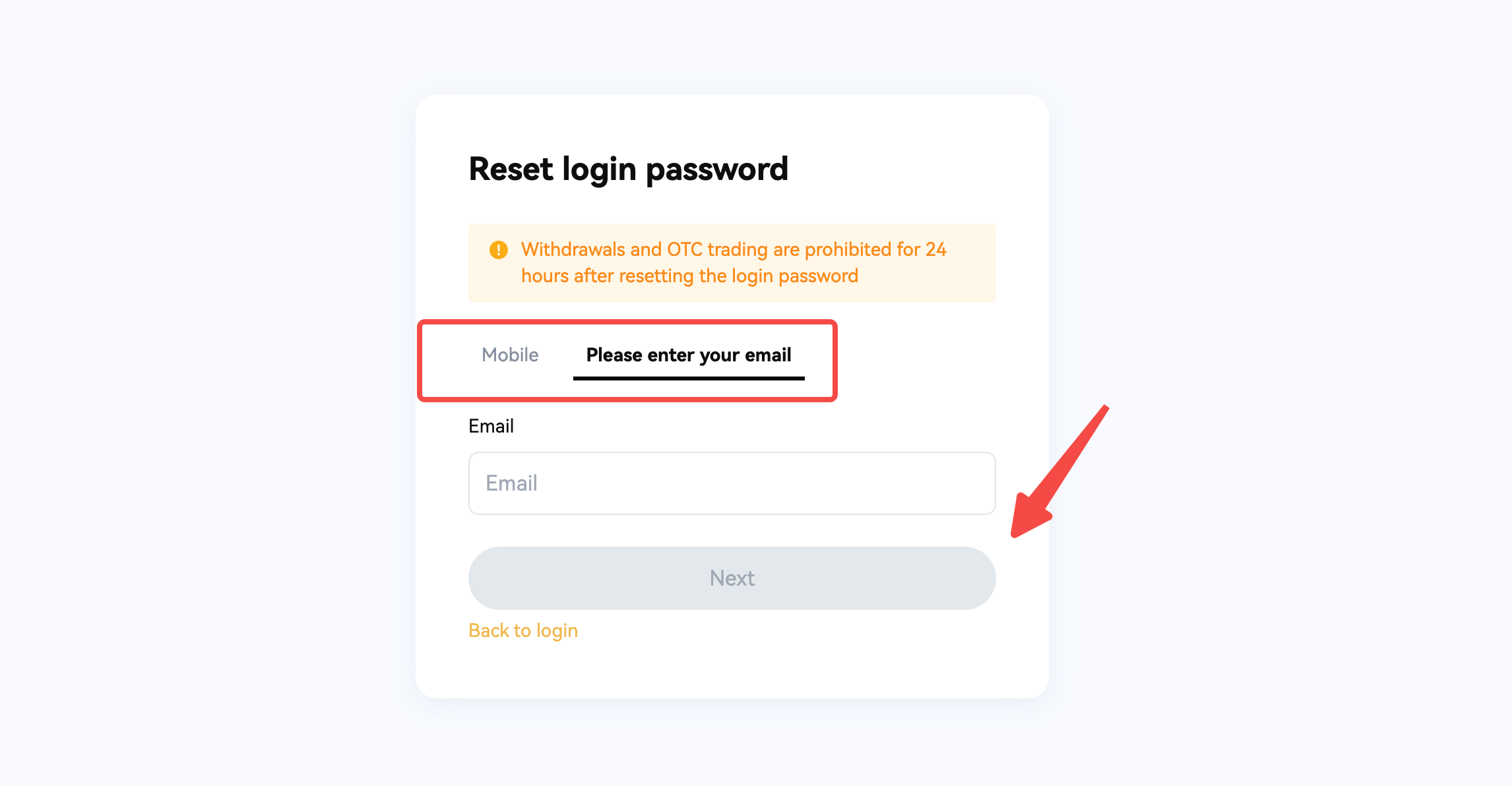
a. On the login page, click on "Forgot Password."
b. Enter your email address or phone number, then click "Next Step"
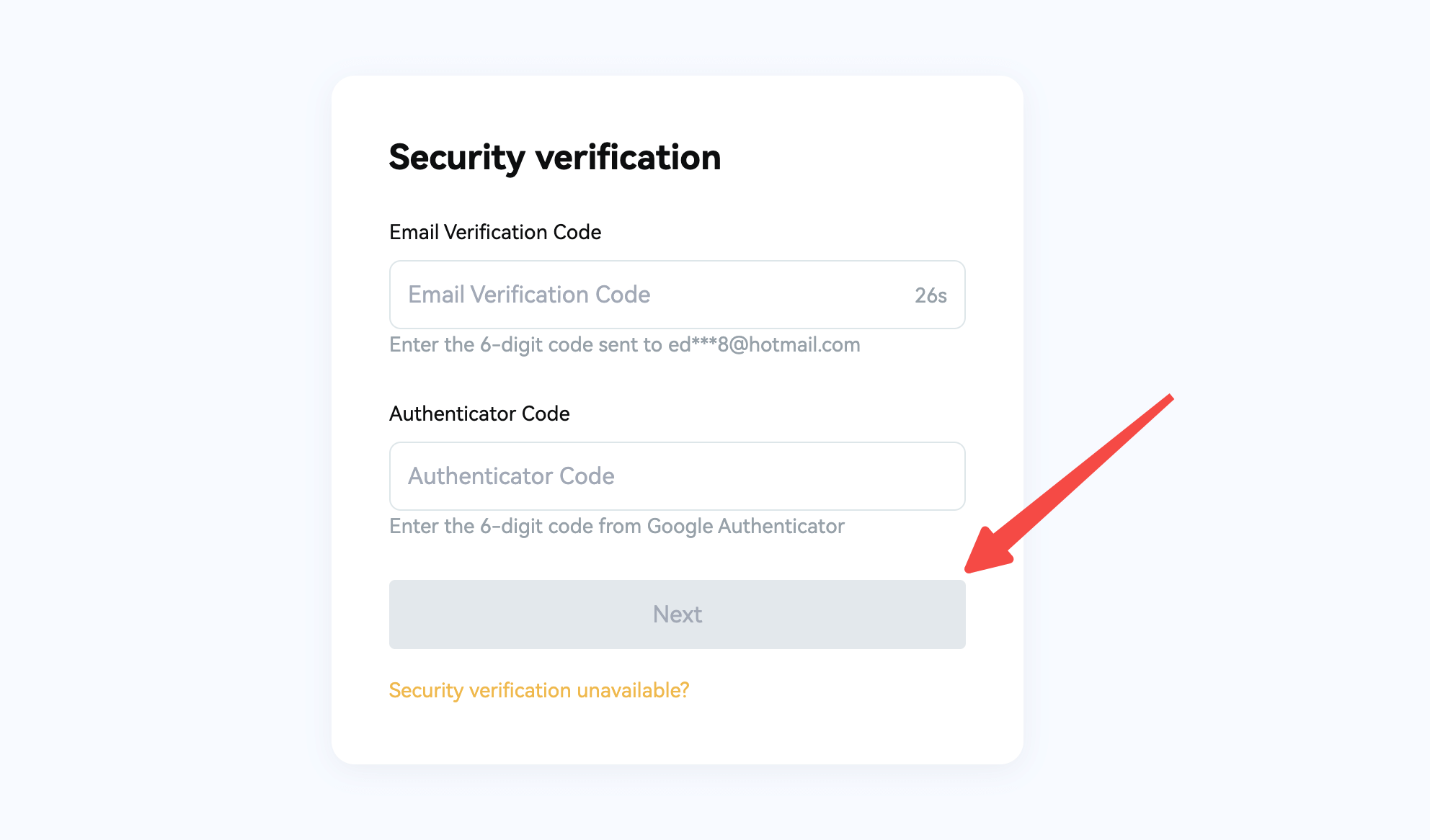
c. Enter your email verification code/SMS verification code/Google verification code, and click "Next Step"
d. Enter your new password twice, and click "Submit" to complete the password reset process.
**Please ensure that your password is between 8 and 30 characters in length, and includes at least 1 lowercase letter, 1 uppercase letter, and 1 number.

If you have any questions, please feel free to contact our customer service team.
Wishing you successful trading!
Find us on
Enjoy trading on KCEX,
The KCEX Team