


How to Change Your Email Address?
2023-10-20 22:39:16
How to Change Your Email Address on the Website:
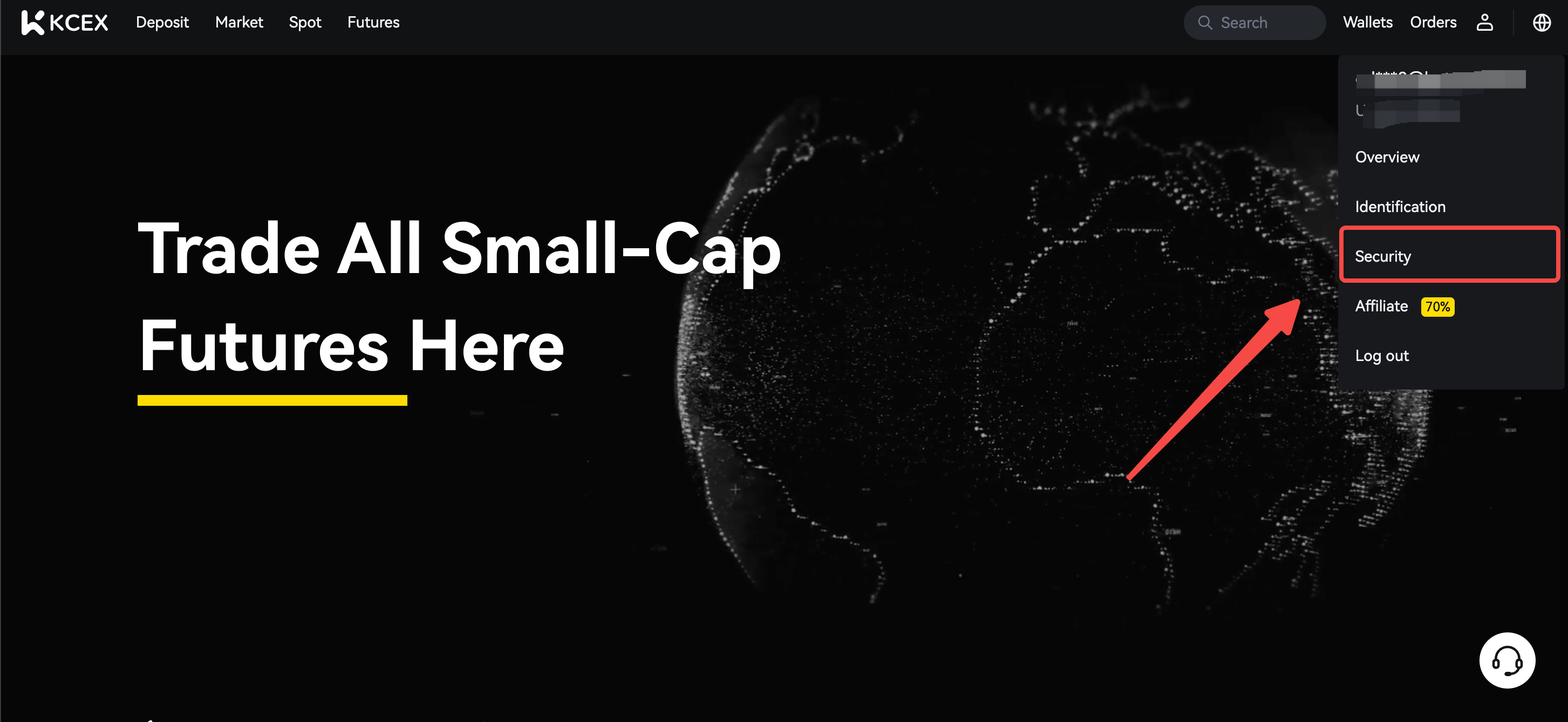
1. Log in to the official KCEX website, hover over the user icon, and click on [Security].
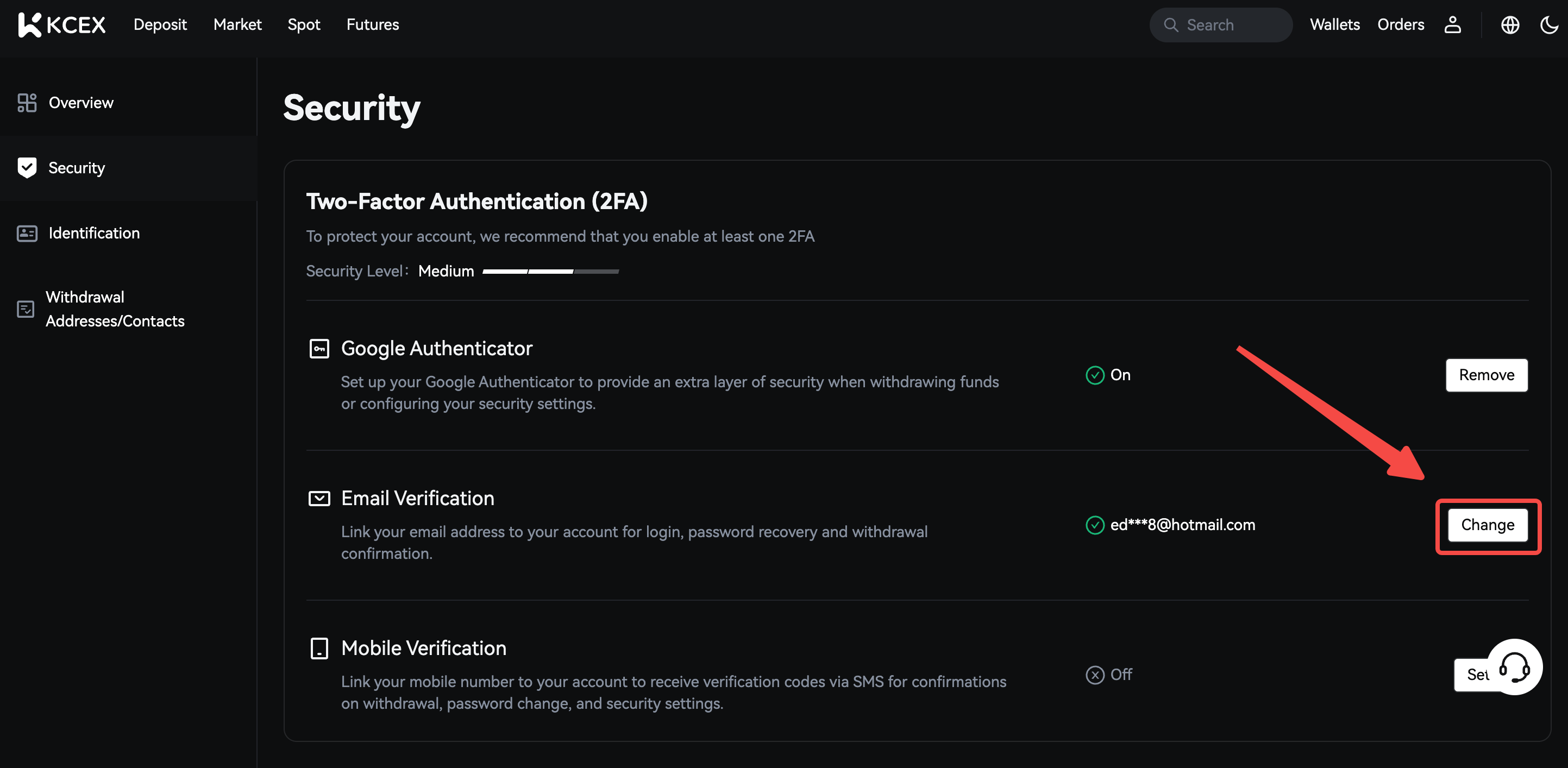
2. Click 'Change' within the Email Verification section.
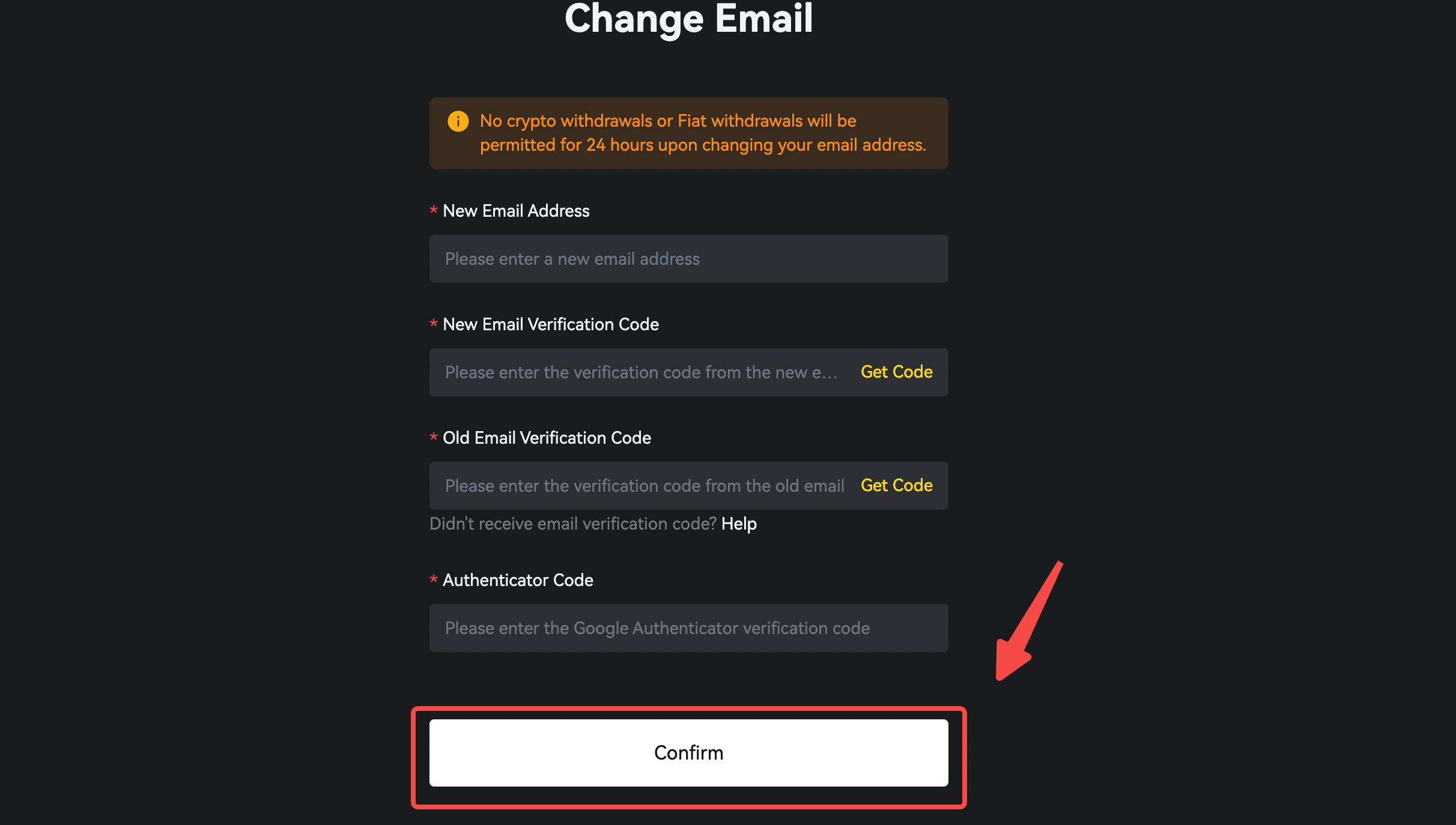
3. Fill in your new email address, new email verification code, old email verification code and google verification code/sms verification code, then click [Confirm] to complete the change process.
How to Change Your Email Address in the APP:
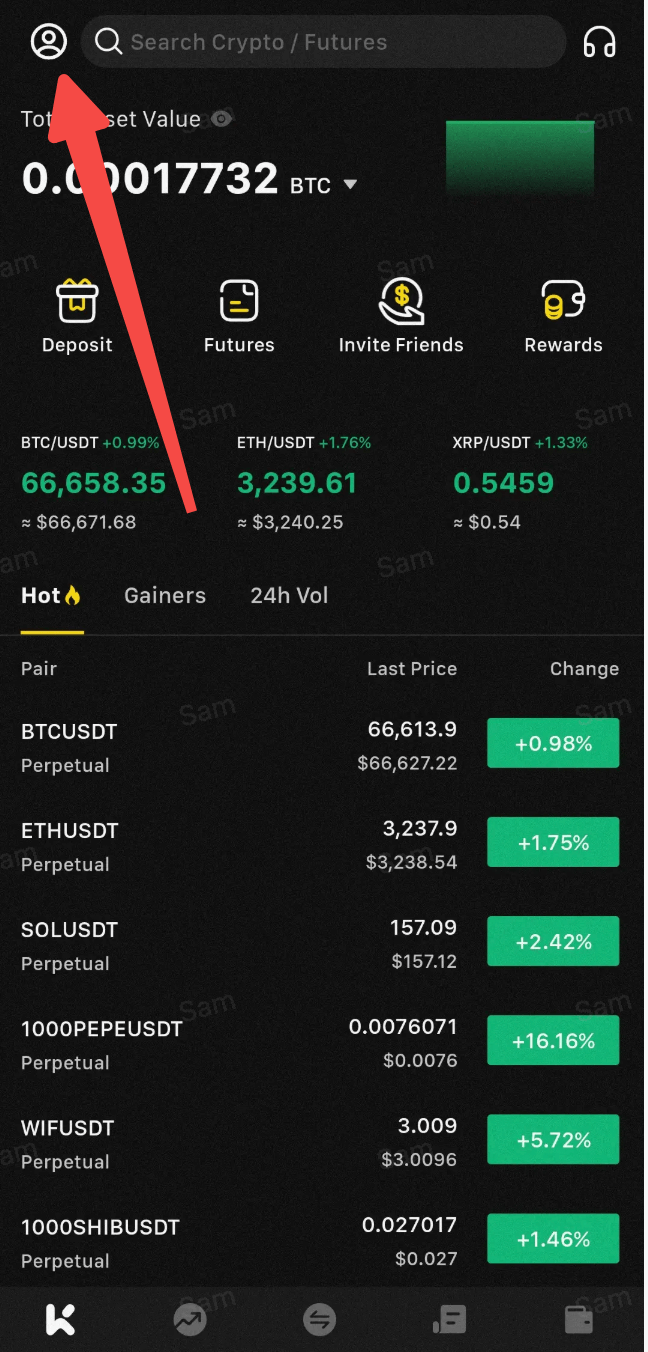
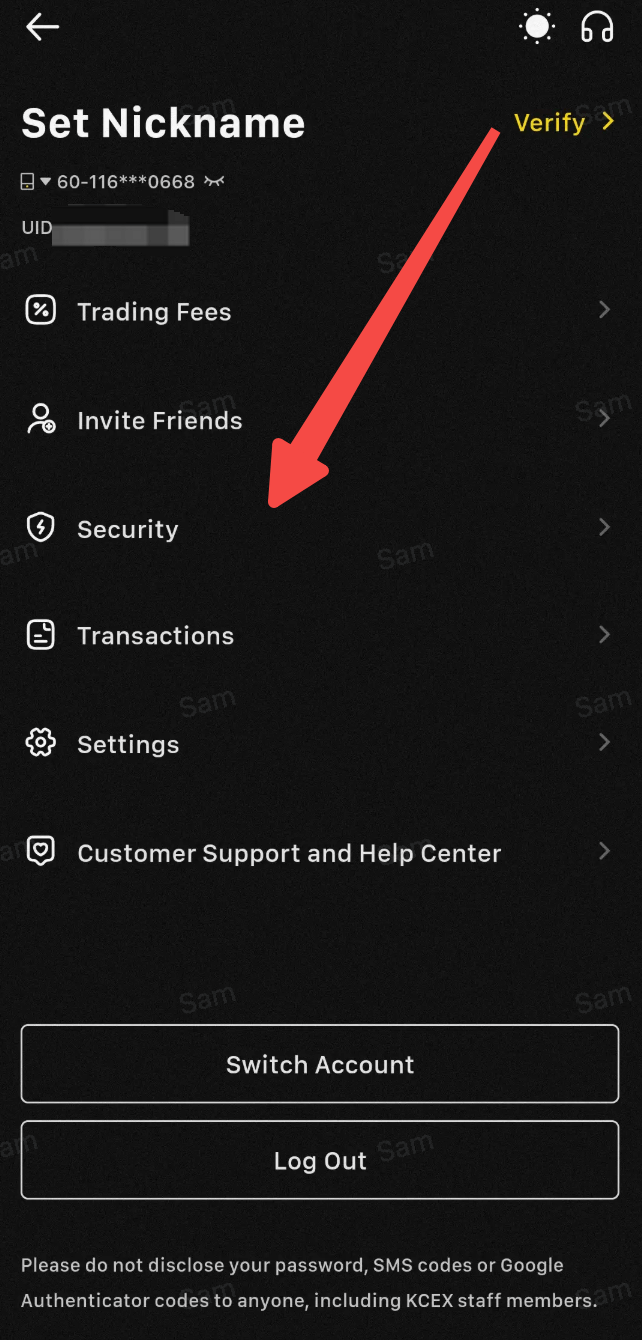
1. After successfully logging into the APP, navigate to the top left corner of the homepage and click [Personal Center].
2. In the [Personal Center] interface, select and click the [Security] option.
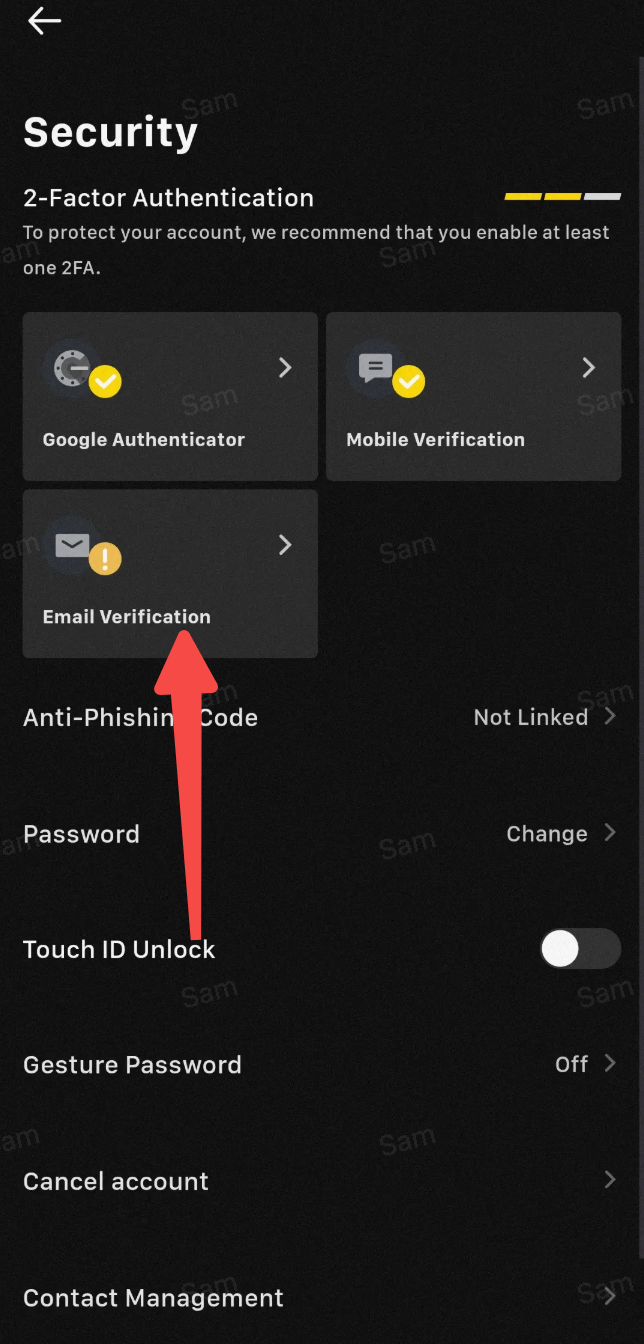
3. In the Security Center, click on [Email Verification].
4. Enter your new email address, new email verification code, old email verification code, and Google verification code/SMS verification code, then click to complete the change process.
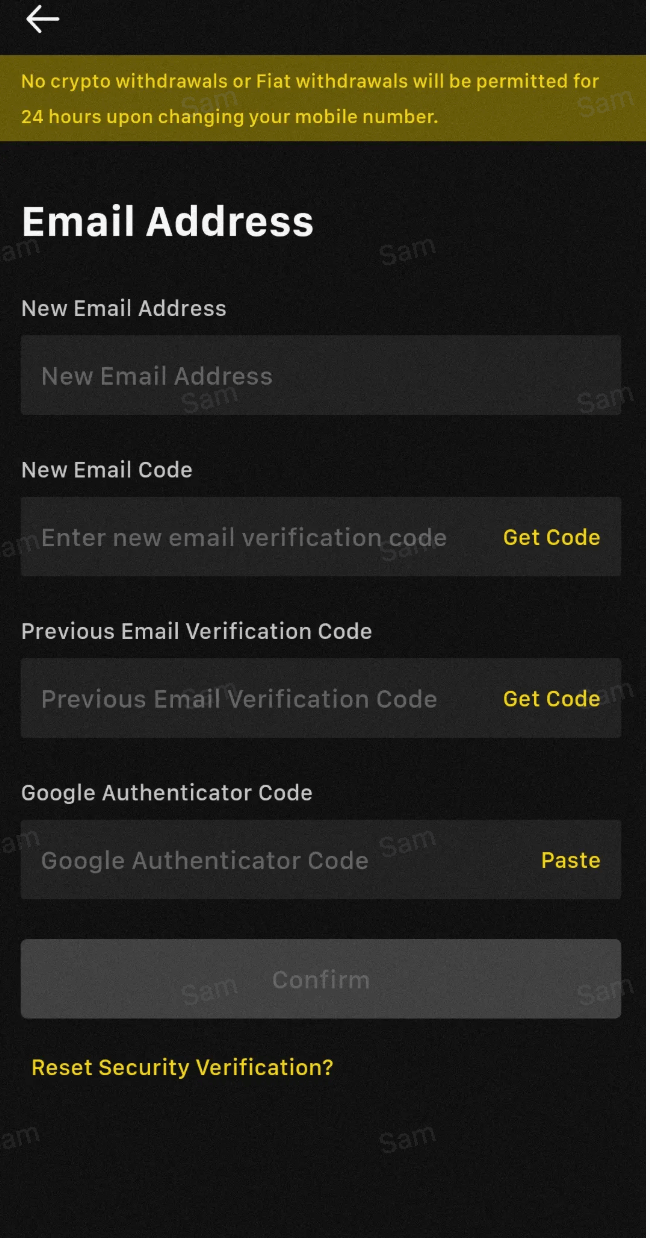
**If you are unable to log in to your account for self-service change or have lost access to your email, please contact our online customer service for assistance.
If you have any questions, please feel free to contact our customer service team.
Wishing you successful trading!
Find us on
Enjoy trading on KCEX,
The KCEX Team