

KCEX Futures Margin Modes: Differences Between Isolated and Cross Margin and Setup Methods
2026-08-26 09:33:34
KCEX perpetual futures support two margin modes: isolated margin and cross margin. These modes differ significantly in how margin is used, how position risk is managed, and how liquidation works. This article explains the differences between KCEX isolated-margin and cross-margin modes, how to adjust leverage and margin mode, and common questions regarding isolated-position margin adjustments and changes in the estimated liquidation price of cross-margin positions. It is intended to help you select a suitable futures margin mode based on your trading needs and manage position risk.
1. Differences Between Isolated and Cross Margin
(1) Isolated-Margin Mode
In isolated-margin mode, a specified amount of margin is allocated to a position when the user opens it. If the position margin falls below the maintenance margin level, the position will be liquidated. You may also choose to add margin to or remove margin from the position.
Therefore, the maximum loss of a position in isolated-margin mode is limited to its initial margin and any additional margin added to the position. Even if liquidation is triggered, the user’s loss is limited to the margin allocated to that isolated-margin position and will not affect other funds in the account.
(2) Cross-Margin Mode
In cross-margin mode, all cross-margin positions share the cross-margin balance. The cross-margin balance consists of the position margin of all cross-margin positions and the user’s available margin.
Once liquidation is triggered, all cross-margin positions held by the user and the available margin in the account may incur losses. Isolated-margin positions will not be affected.
2. How to Adjust Leverage and Margin Mode
(1) Adjust Leverage
In the order placement section of the futures trading page, click the Leverage button at the top. You can then adjust the leverage in the pop-up window.
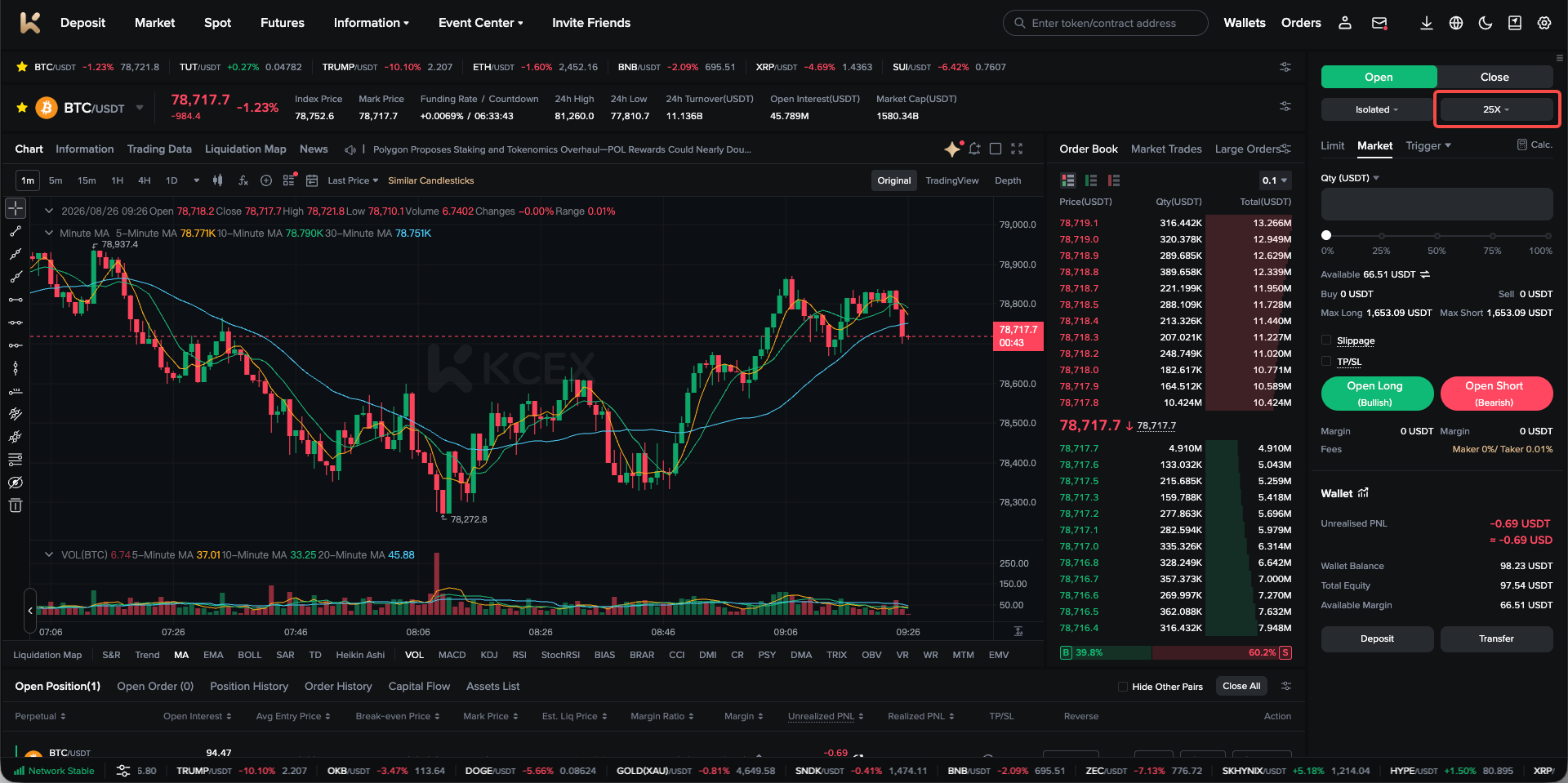
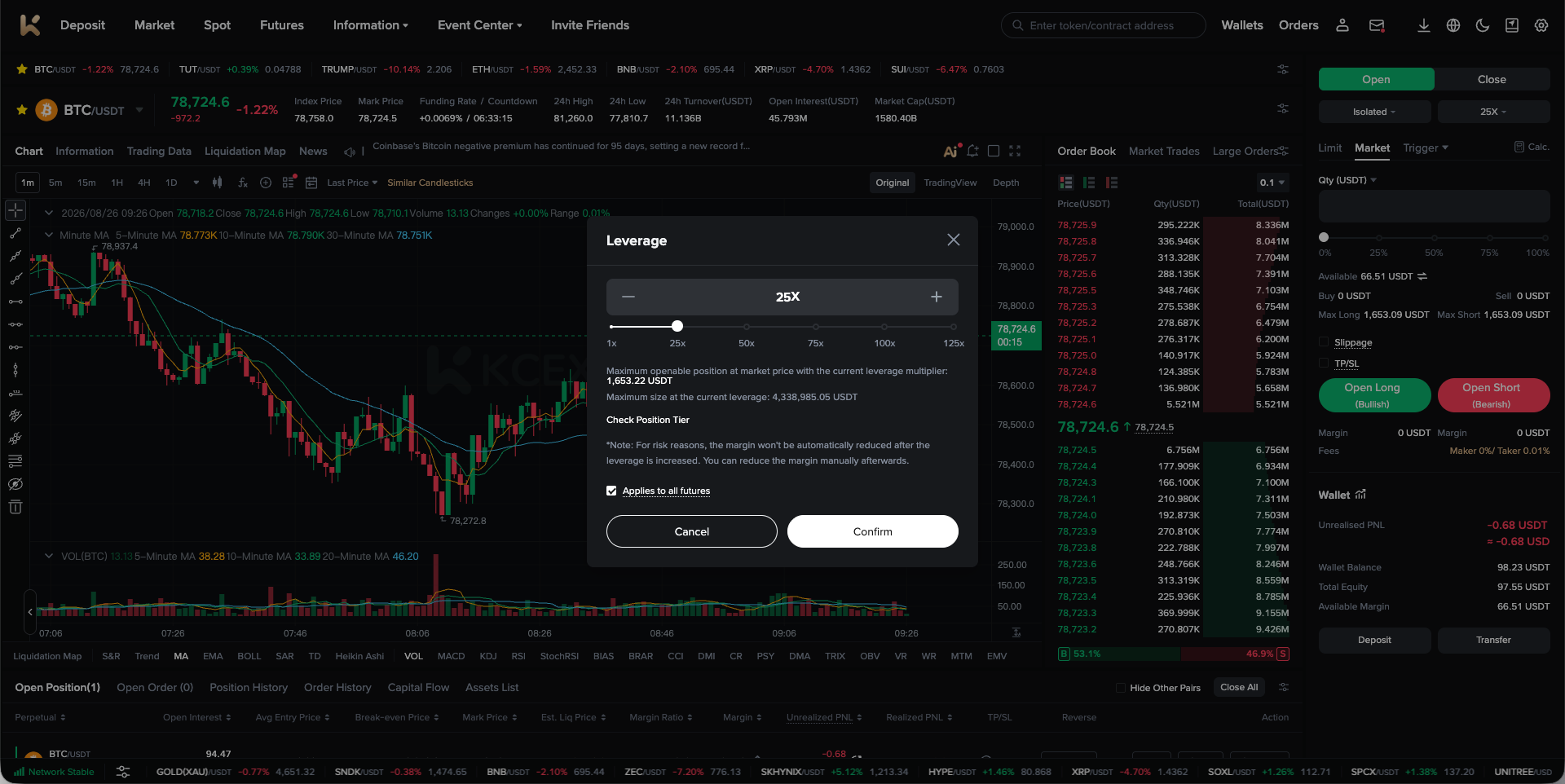
Please note:
- When reducing leverage, if you have an open position, the corresponding amount of margin must be added to the position.
- When increasing leverage while holding an open position, the platform will not automatically reduce the position margin, helping prevent liquidation during the leverage adjustment. If you need to adjust the position margin after increasing leverage, you may do so manually.
- Leverage cannot be adjusted while there are pending orders.
(2) Adjust Margin Mode
In the order placement section of the futures trading page, click the Margin Mode button at the top. You can then adjust the margin mode in the pop-up window.
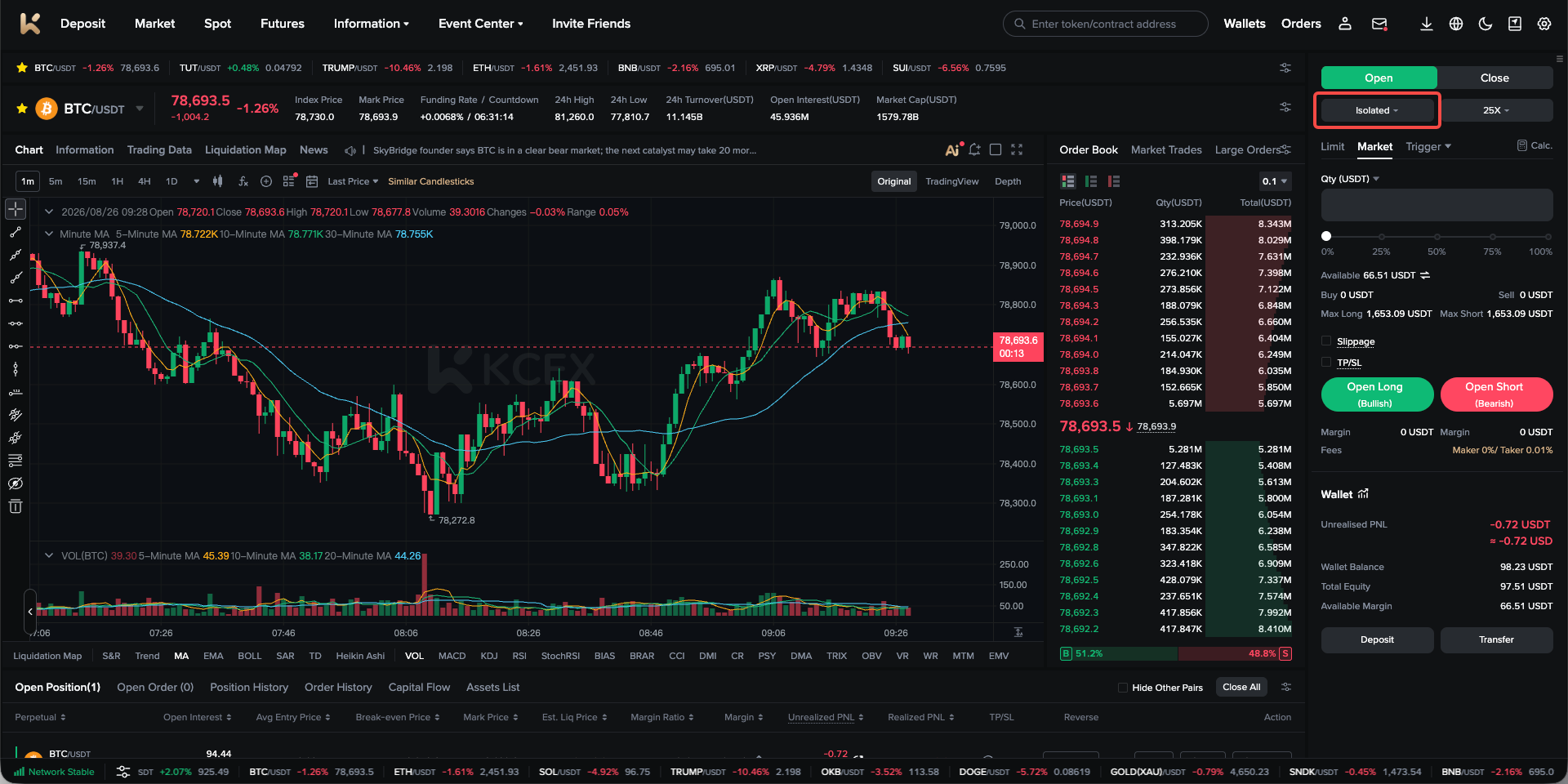
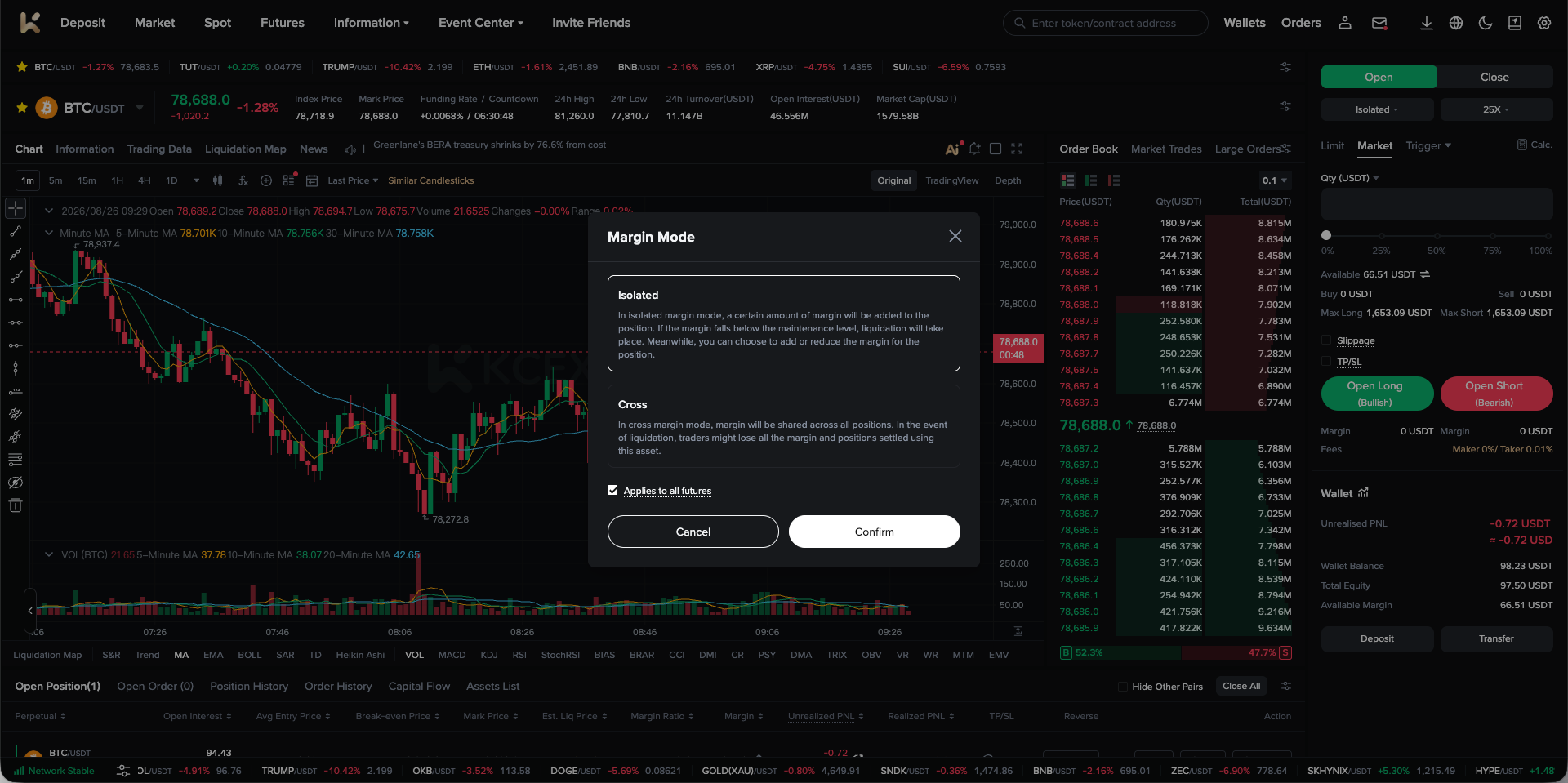
Please note:
- If you have an open position, you can only switch from isolated-margin mode to cross-margin mode. Switching from cross-margin mode to isolated-margin mode is currently not supported.
- Margin mode cannot be adjusted while there are pending orders.
3. Margin Mode FAQs
(1) How Do I Adjust the Margin of an Isolated-Margin Position?
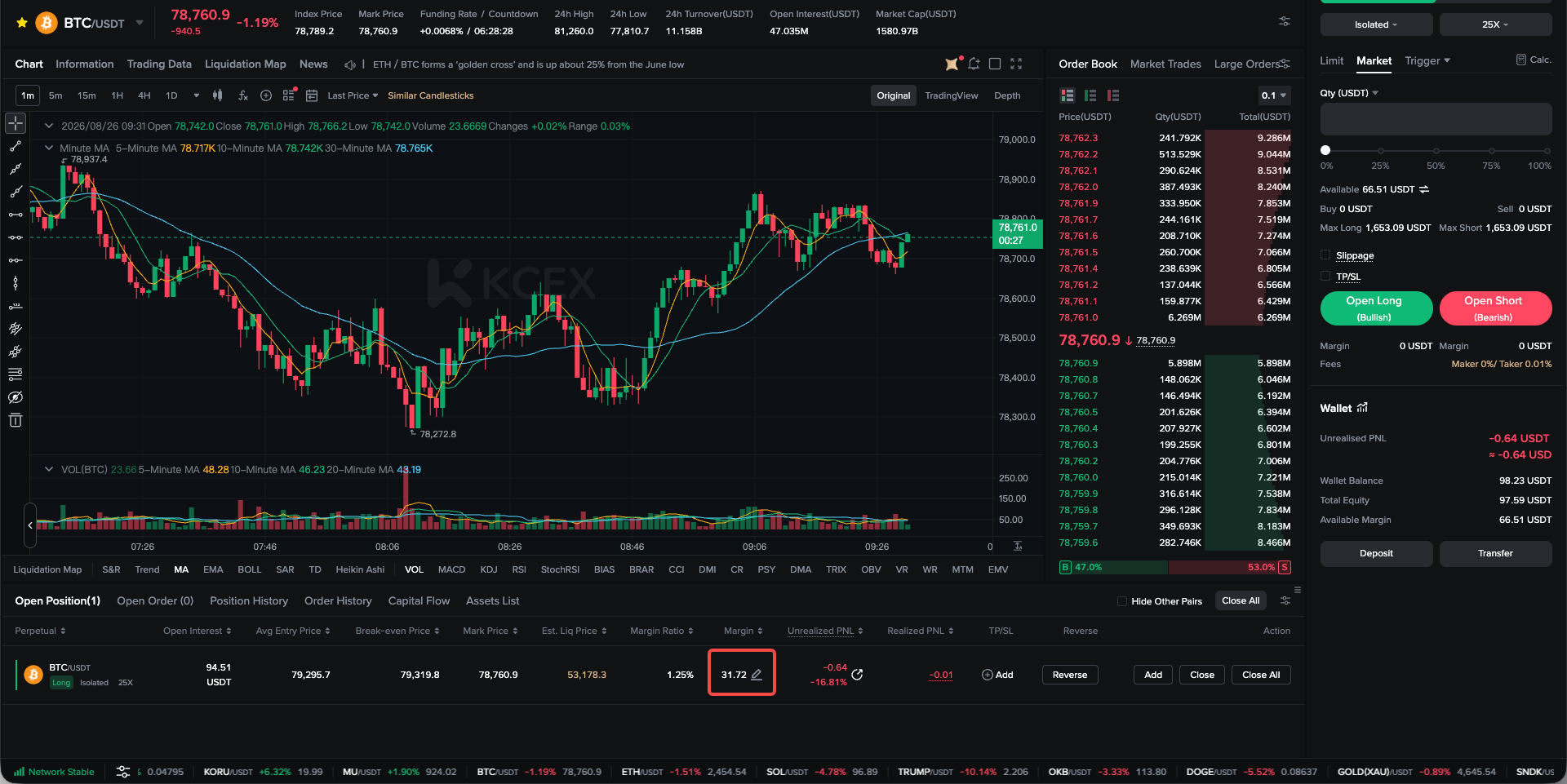
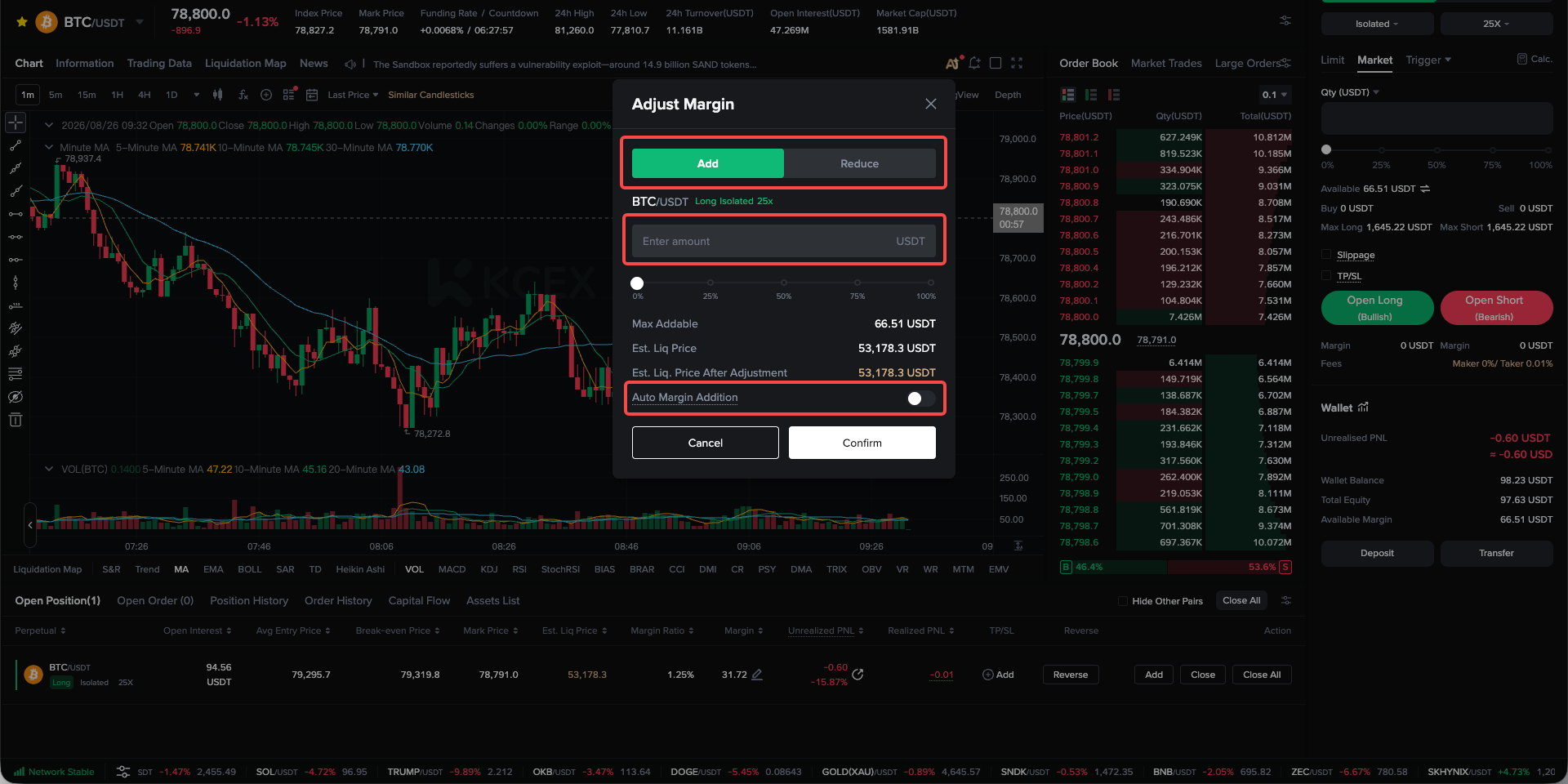
Locate the relevant position under Current Positions and click the edit icon next to Margin. In the Adjust Margin pop-up window, select either Add or Reduce to adjust the position margin. You may also consider enabling Auto Margin Addition based on your circumstances.
(2) Why Do the Estimated Liquidation Prices of My Cross-Margin Positions Keep Changing?
In cross-margin mode, all cross-margin positions share the cross-margin balance. For example, if you hold three positions—A, B, and C—the profits from Position A can provide an additional margin buffer for Positions B and C. Conversely, losses from Position B will increase the risk of Positions A and C.
Therefore, when multiple positions are held in cross-margin mode, their estimated liquidation prices will change in real time based on the profits or losses of each position. It is recommended that you use the margin ratio to assess the overall risk level in cross-margin mode.
KCEX remains committed to providing users with secure and efficient futures trading services. Thank you for your support!